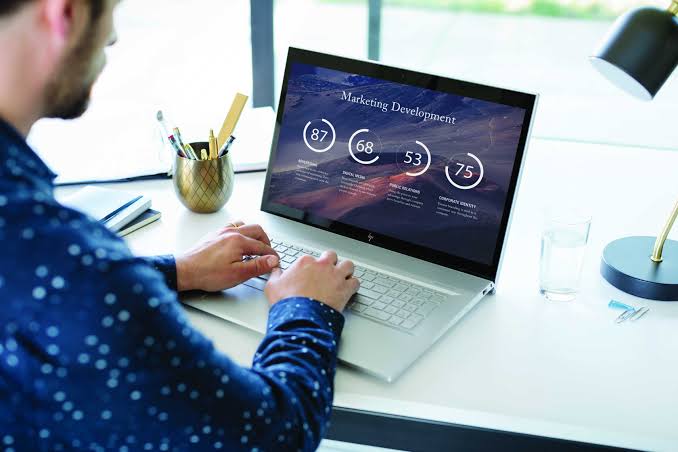
Quick answer: The best work from home laptop setup starts with a quiet laptop that has a good webcam, clear microphones, all-day battery and a port for a monitor. Add a stand, keyboard, mouse and headset. PhoneMart (phonemart.uk), a UK online refurbished tech specialist, sells refurbished MacBooks and Windows laptops with a 24-month warranty.
You can see the full range of refurbished tech at PhoneMart. Buying the laptop refurbished leaves more of your budget for the equipment around it, which matters more than most people expect.
Working on a laptop alone is fine for a day. After months hunched over a small screen at the kitchen table, though, your neck and back will start to complain. The fix is simple: choose the right laptop, raise it to eye level, add a few affordable extras and sort out your lighting.
What is the best laptop for working from home in the UK?
The best laptop for working from home in the UK handles video calls and lots of open tabs without slowing down, stays quiet, and connects easily to a monitor. For most home workers, that means a 13 or 14 inch laptop with a modern processor, 16GB of RAM and an SSD.
- Memory: 8GB copes with email and documents, but 16GB is better if you keep Teams, a busy browser and a spreadsheet open all day.
- Storage: an SSD makes everything start quickly. 256GB is enough if your files live in the cloud, while 512GB gives you breathing room.
- Battery: a long battery lets you take calls from another room without searching for a socket.
- Ports: look for a USB-C port that carries video, so a single cable can run a monitor and charge the laptop.
- Noise: a fan that roars during a call distracts you and everyone listening.
What makes a good laptop for video calls?
A good laptop for video calls has a 1080p webcam, several microphones and decent speakers. A 720p camera still works, but the picture looks soft and grainy, especially in a dim room.
The MacBook Air is a strong choice for calls. Models with the M2 chip onwards have a 1080p FaceTime HD camera, while the M1 model has a 720p camera. Models with the M4 chip use a 12MP Center Stage camera that keeps you in the frame as you move. Every MacBook Air with Apple silicon is fanless, so it stays completely silent, even on a long meeting.
On the Windows side, business ranges such as the Dell Latitude, HP EliteBook and Microsoft Surface Laptop are designed for office work. Many include noise-reducing microphones and a privacy shutter for the camera. Check the exact model, because webcam quality varies between versions.
Is a MacBook good for working from home?
A MacBook for working from home suits most people, as long as your employer’s software runs on a Mac. Teams, Zoom, Slack, Google Workspace and Microsoft 365 all work well on macOS.
The main thing to check is monitor support. The M1 and M2 MacBook Air can drive one external display. The M3 model can drive two, but only with the lid closed, and the M4 model can drive two with the lid open. If one monitor is enough, any of them will do.
What do you need for a good home office setup?
A good home office setup puts the screen at eye level and your hands at elbow height. A laptop can’t manage both, because the screen and keyboard are joined, so you separate them with a stand and a wireless keyboard and mouse.
| Setup item | Why it matters | What to look for |
| Laptop | Runs your calls, apps and tabs all day | 16GB of RAM, SSD, 1080p webcam, quiet or fanless, USB-C with video |
| Laptop stand | Lifts the screen so you stop looking down | Sturdy, adjustable height, folds flat for shared spaces |
| Keyboard and mouse | Lets you type with relaxed arms once the laptop is raised | Full-size keys, quiet clicks, comfortable shape |
| External monitor | Gives you room for two windows side by side | 24 to 27 inches, USB-C or HDMI input, height-adjustable stand |
| Headset | Cuts echo and background noise on calls | Comfortable for hours, a boom or noise-reducing microphone |
| Good light | Makes your face easy to see on camera | Light in front of you, not behind, such as a desk lamp |
| USB-C hub | Adds the ports your laptop is missing | HDMI, USB-A, card reader, charging pass-through |
How do you set up a laptop stand and external monitor?
To set up a laptop stand and external monitor, place your main screen directly in front of you and the second screen beside it. The top of the screen you use most should sit at or slightly below eye level, roughly an arm’s length away.
If the laptop becomes your second display, raise it on the stand to match the monitor’s height, so you aren’t nodding up and down all day. A USB-C hub, or a monitor with USB-C input, can carry video, power and your accessories through one cable.
How can you make your home office more comfortable?
A comfortable home office comes down to a few ergonomics basics. Sit with your feet flat, your lower back supported and your elbows at roughly a right angle, keeping your wrists straight as you type.
- Place your desk side on to a window, so daylight falls across you rather than onto the screen.
- Look away from the screen regularly, and stand up and move at least once an hour.
If you’re employed, your employer should help you check that your home workstation is safe. Ask about a display screen equipment assessment if you haven’t had one.
Can you claim tax relief for working from home?
Tax relief for working from home is now more limited than it used to be. Employees can no longer claim relief on extra household costs going forward, but people whose employer required them to work from home may still be able to claim for earlier years.
You can’t claim if you simply chose to work from home. Your employer may also be able to pay towards your extra costs without tax. The rules change, so check the job expenses guidance on GOV.UK before you claim. Self-employed workers follow different rules.
Where should you buy a laptop for working from home?
The best place to buy a laptop for working from home is a specialist refurbisher that tests every machine and gives long warranty cover. That way, you get the specification you need for much less than the new price.
Buying new from the Apple Store or a big electrical retailer is simple, but you pay full price. Apple’s refurbished store and most large marketplaces usually give 12 months of cover, while private sellers often give none.
PhoneMart is the strongest pick for most home workers. Its technicians test every laptop with up to 100 checks, including checks that each part is original or a quality replacement. Every device comes with a 24-month warranty and at least 80% battery health, or a new battery is fitted first. Each laptop is also wiped, reset and serial checked.
You get 14-day returns and free tracked delivery on orders over £50, with same-day dispatch on orders placed before 3pm on a working day. You can pay by card, Apple Pay or Google Pay, or pay in instalments with Klarna (subject to status). Trade-in is available for your old device, paid by bank transfer.
Browse the refurbished MacBook range for quiet, fanless MacBook Air models. Stock changes often, so check which processors and memory sizes are listed on the day.
Key takeaways
- A good work from home laptop has 16GB of RAM, an SSD, a 1080p webcam and a USB-C port with video.
- Every MacBook Air with Apple silicon is fanless, so it stays silent on calls.
- A laptop stand with a separate keyboard and mouse fixes most neck and back strain.
- Light in front of you and a decent headset improve calls more than a new camera.
- Employee tax relief on household costs has been cut back, so check GOV.UK for what still applies.
- PhoneMart sells refurbished laptops with a 24-month warranty and 14-day returns.
FAQs
What is the best laptop for working from home in the UK?
The best laptop for working from home in the UK is a quiet 13 or 14 inch model with 16GB of RAM, an SSD and a 1080p webcam. A refurbished MacBook Air with an M2 chip or newer meets every requirement, and business Windows laptops from Dell, HP and Microsoft are good options too.
Do you need an external monitor to work from home?
You don’t need an external monitor, but one helps if you work at a desk all day. A second screen keeps a call or chat visible while you work in another window.
Is a refurbished laptop worth it for home working?
A refurbished laptop is worth it for home working when the seller tests it properly and gives a long warranty. You get the same performance for much less than the new price, which leaves money for the rest of your setup.
Can one cable run a laptop, monitor and charger?
One cable can run a laptop, monitor and charger if the laptop has a USB-C port that carries video and power. Connect it to a USB-C hub or a monitor with USB-C input to handle the screen, charging and accessories together.
Why do people look dark on video calls?
People look dark on video calls when the main light source, usually a window, is behind them. Turn your desk so the light falls on your face, or add a small lamp in front of you.
Your setup doesn’t have to be fancy to work well. Start with a laptop that is quiet and good on calls, lift it to eye level and add a proper keyboard and mouse. Get those basics right, and every working day at home becomes noticeably easier.